Images
Loading Images
useImage
Images are loaded using the useImage hook. This hook returns an SkImage instance, which can be passed to the Image component.
Images can be loaded using require statements or by passing a network URL directly. It is also possible to load images from the app bundle using named images.
import { useImage } from "react-native-skia";
// Loads an image from the JavaScript bundle
const image1 = useImage(require("./assets/oslo"));
// Loads an image from the network
const image2 = useImage("https://picsum.photos/200/300");
// Loads an image that was added to the Android/iOS bundle
const image3 = useImage("Logo");
Loading an image is an asynchronous operation, so the useImage hook will return null until the image is fully loaded. You can use this behavior to conditionally render the Image component, as shown in the example below.
The image is also decoded before the hook returns it, off the JS thread: the canvas that draws it never decodes on its first frame (see GPU and CPU images).
The hook also provides an optional error handler as a second parameter, called when the image cannot be loaded or decoded (the hook then returns null).
loadImage(source) does the same outside of React: it returns a promise that rejects on failure.
MakeImageFromEncoded
You can also create image instances manually using MakeImageFromEncoded.
import { Skia } from "react-native-skia";

// A sample base64-encoded pixel
const data = Skia.Data.fromBase64("iVBORw0KGgoAAAANSUhEUgAAAAEAAAABCAYAAAAfFcSJAAAADUlEQVR42mP8/5+hHgAHggJ/PchI7wAAAABJRU5ErkJggg==");
const image = Skia.Image.MakeImageFromEncoded(data);
MakeRasterImage
MakeRasterImage creates a CPU image from pixel data in the given format. The pixels are copied; see GPU and CPU images for what that means when drawing it.
import { Skia, AlphaType, ColorType } from "react-native-skia";

const pixels = new Uint8Array(256 * 256 * 4);
pixels.fill(255);
let i = 0;
for (let x = 0; x < 256; x++) {
  for (let y = 0; y < 256; y++) {
    pixels[i++] = (x * y) % 255;
  }
}
const data = Skia.Data.fromBytes(pixels);
const img = Skia.Image.MakeRasterImage(
  {
    width: 256,
    height: 256,
    alphaType: AlphaType.Opaque,
    colorType: ColorType.RGBA_8888,
  },
  data,
  256 * 4
);
Note: The nested for-loops in the code sample above seem to have a mistake in the loop conditions. They should loop up to 256, not 256 * 4, as the pixel data array has been initialized with 256 * 256 * 4 elements representing a 256 by 256 image where each pixel is represented by 4 bytes (RGBA).
GPU and CPU images
An image lives either on the CPU, as pixels in memory, or on the GPU, as a texture. Where it lives decides what is cheap.
The API names follow this split. "Raster" means CPU: Skia.Surface.MakeRaster(), Skia.Image.MakeRasterImage(), image.makeRasterImage(). "Texture" means GPU: image.makeTextureImage(). "GPUTexture" is a WebGPU texture shared with React Native WebGPU: Skia.Image.MakeImageFromGPUTexture(), Skia.Surface.MakeFromGPUTexture().
A surface follows the same split: Skia.Surface.MakeRaster() draws on the CPU and its snapshots are CPU images, Skia.Surface.MakeOffscreen() draws on the GPU and its snapshots are GPU images.
| Image | Lives | Drawing it | Reading its pixels |
|---|---|---|---|
useImage(), Skia.Image.MakeRasterImage(), makeRasterImage() | CPU | Uploaded once per canvas, then cached | Immediate |
surface.makeImageSnapshot(), surface.asImage(), makeTextureImage(), Skia.Image.MakeImageFromGPUTexture() | GPU | No copy, from any canvas and any thread | Waits for the GPU |
Skia.Image.MakeImageFromEncoded() | Encoded bytes | Decoded and uploaded by the first canvas that draws it, on that frame | Decodes |
Moving an image from one side to the other is explicit:
image.makeTextureImage()uploads a CPU image (or decodes and uploads an encoded one) now, on the calling thread, and returns the GPU image. Use it for an image drawn by several canvases, or to pay the upload before the first frame: this is whatuseImageAsTexturedoes. Pass{ mipmapped: true }to also build the mipmaps for theMipmapModesampling options.image.makeRasterImage()resolves to a CPU copy of a GPU image without blocking the JS thread (an encoded image is decoded on a background thread, a CPU image resolves to itself).encodeToBytes(),encodeToBase64()andreadPixels()work on a GPU image too, but they wait for the GPU: when the JS thread should not wait, read the image back first.
import { Skia } from "react-native-skia";

const surface = Skia.Surface.MakeOffscreen(256, 256)!;
surface.getCanvas().drawColor(Skia.Color("cyan"));
surface.flush();
// A GPU image: drawing it anywhere costs nothing.
const image = surface.makeImageSnapshot();
// Encoding it waits for the GPU; reading it back first does not.
image.makeRasterImage().then((raster) => {
  const base64 = raster.encodeToBase64();
  console.log(base64);
});
makeRasterImageSync() is the synchronous counterpart of makeRasterImage(), for worklets: it waits for the GPU on the calling thread.
On the Web, a texture belongs to the canvas that created it: makeTextureImage() returns the image as is, and surface.asImage() is a snapshot.
Image Component
Images can be drawn by specifying the output rectangle and how the image should fit into that rectangle.
| Name | Type | Description |
|---|---|---|
| image | SkImage | An instance of the image. |
| x | number | The left position of the destination image. |
| y | number | The top position of the destination image. |
| width | number | The width of the destination image. |
| height | number | The height of the destination image. |
| fit? | Fit | The method used to fit the image into the rectangle. Values can be contain, fill, cover, fitHeight, fitWidth, scaleDown, or none (the default is contain). |
| sampling? | Sampling | The method used to sample the image. see (sampling options). |
Example
import { Canvas, Image, useImage } from "react-native-skia";

const ImageDemo = () => {
  const image = useImage(require("./assets/oslo.jpg"));
  return (
    <Canvas style={{ flex: 1 }}>
      <Image image={image} fit="contain" x={0} y={0} width={256} height={256} />
    </Canvas>
  );
};
Sampling Options
The sampling prop allows you to control how the image is sampled when it is drawn.
Use cubic sampling for best quality: you can use the default sampling={CubicSampling} (defaults to { B: 0, C: 0 }) or any value you would like: sampling={{ B: 0, C: 0.5 }}.
You can also use filter modes (nearest or linear) and mipmap modes (none, nearest, or linear). The defaults are linear filtering and none mipmapping.
import { Canvas, Image, useImage, CubicSampling, FilterMode, MipmapMode } from "react-native-skia";

const ImageDemo = () => {
  const image = useImage(require("./assets/oslo.jpg"));
  return (
    <Canvas style={{ flex: 1 }}>
      <Image
        image={image}
        fit="contain"
        x={0}
        y={0}
        width={256}
        height={256}
        sampling={CubicSampling}
      />
      <Image
        image={image}
        fit="contain"
        x={0}
        y={0}
        width={256}
        height={256}
        sampling={{ filter: FilterMode.Nearest, mipmap: MipmapMode.Nearest }}
      />
    </Canvas>
  );
};
fit="contain"
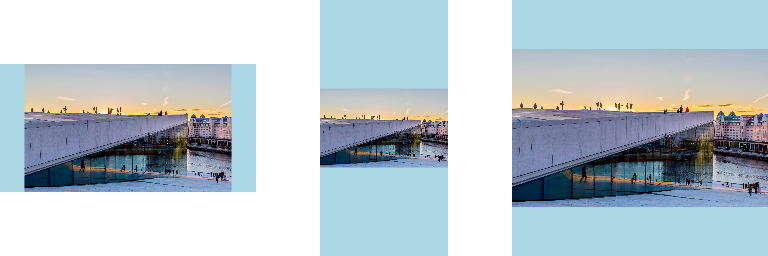
fit="cover"
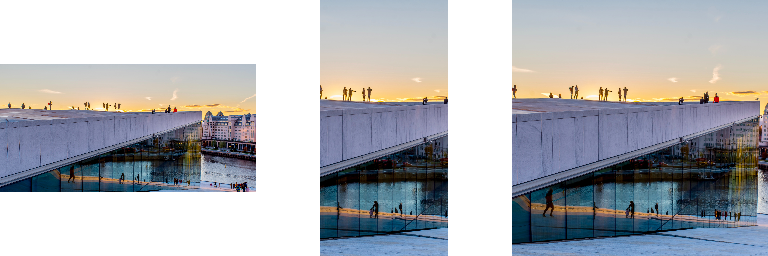
fit="fill"
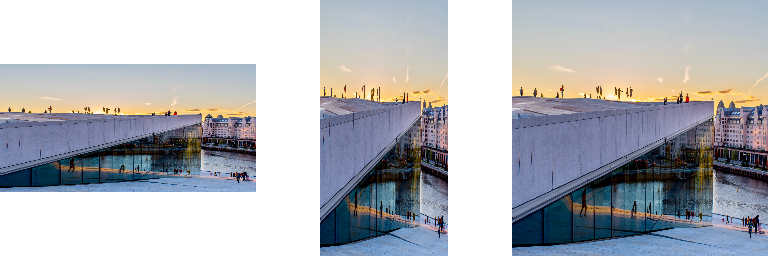
fit="fitHeight"
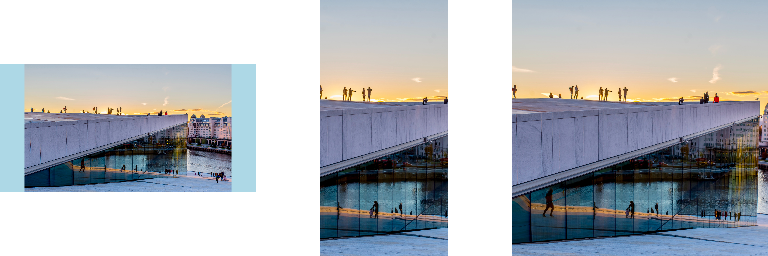
fit="fitWidth"
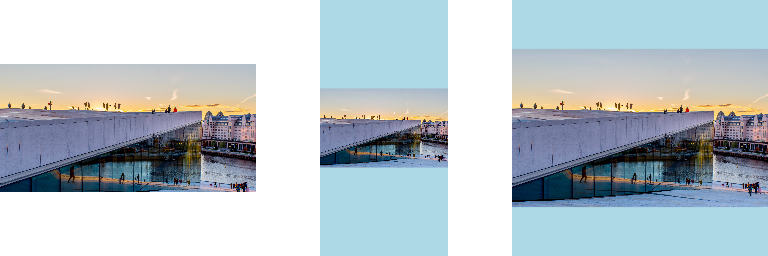
fit="scaleDown"
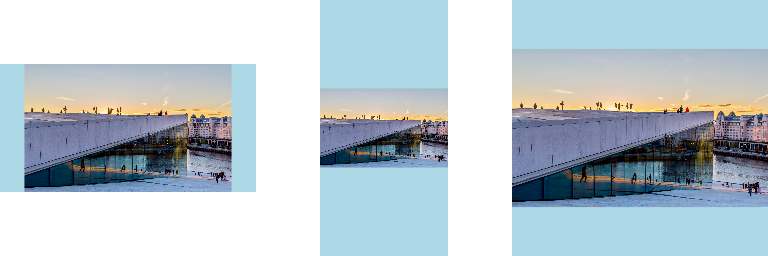
fit="none"
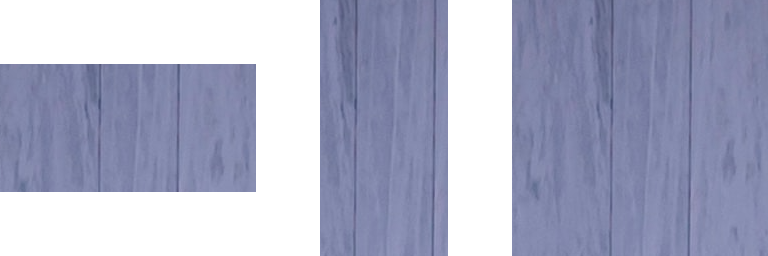
Instance Methods
| Name | Description |
|---|---|
height | Returns the possibly scaled height of the image. |
width | Returns the possibly scaled width of the image. |
getImageInfo | Returns the image info for the image. |
encodeToBytes | Encodes the image pixels, returning the result as a UInt8Array. |
encodeToBase64 | Encodes the image pixels, returning the result as a base64-encoded string. |
readPixels | Reads the image pixels, returning result as UInt8Array or Float32Array. On a GPU image, waits for the GPU. |
makeRasterImage | Resolves to a CPU copy of the image, read back from the GPU or decoded on a background thread. See GPU and CPU images. |
makeTextureImage | Uploads the image to the GPU now and returns the GPU image. See GPU and CPU images. |
makeRasterImageSync | Synchronous counterpart of makeRasterImage, for worklets. |